
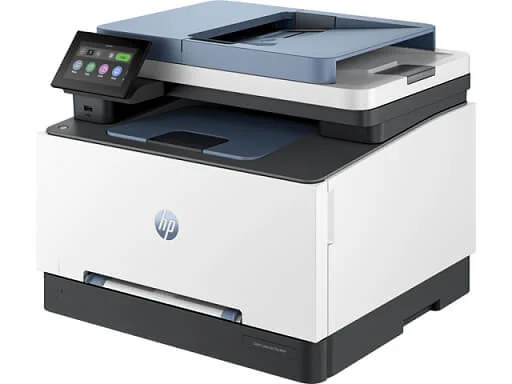
Multifunction printers play a major role in a company’s document management strategy since they integrate several functionalities such as printing, copying, scanning, and sending or receiving faxes into a single device. New developments have allowed these devices to be integrated with various software systems, archiving software, and cloud solutions, enabling you to print, scan, and retrieve your documents from anywhere in the world.
Choosing the right printer will allow you to save time and money as well as ensure a smooth workflow process. Choosing the wrong printer, however, can lead to software compatibility issues, repeated equipment breakdowns, high prices of toner or ink, low-quality service, and expensive spare parts, causing a lot of headaches down the line.
As multifunction printers tend to be more expensive than single-function printers, especially if you are looking for long-term equipment that you want to last for 5 to 10 years, it is important to take the necessary time and do your research in order to pick the right model. Here are some things to consider while purchasing an all-in-one printer:
What Functionality Do You Require in Multifunction Printers?
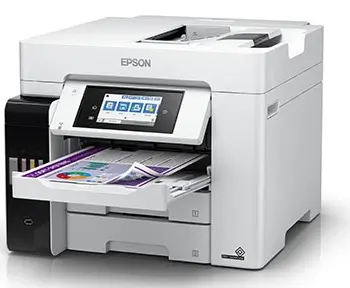
Newer all-in-one printer models are loaded with advanced features and functionalities such as wireless connectivity, high-speed duplex scanning, duplex printing and copying, mobile printing, scan to cloud, and print from the cloud. OCR, or optical character recognition, software can also be built in, allowing you to digitize your scanned documents and create searchable and editable files.
Print fleet management software, which allows administrators to monitor the status of each printer as well as the number of prints per user, is becoming popular these days. Does the all-in-one printer you are looking to purchase have its own free software, or is it compatible with your existing print management software? Check what features you currently need and what features you might need in the near future so that you can choose a device with the required functionality for the long run.
Do You Want a B&W or Color All-in-One Printer?
In the past, color printers used to be extremely expensive to purchase and maintain, and having a color printer was considered a luxury. Over the past decade, the prices of color printers have been steadily dropping and are now almost equal to those of black-and-white printers. With advancements in technology and the way the industry is heading, it seems that black-and-white printers will be phased out over the next few years as color has become very affordable and within the budget of most organizations. If your budget constraints are very tight, then we recommend that you look at a black-and-white multifunction printer. If you plan on keeping a device that you will use for the next 5 years or more, then you might as well go for a color model.
What Is Your Monthly Print Volume?
This is the single most important question you need to consider. All-in-one printer devices from any brand are always categorized according to their duty cycles or the number of prints they can handle per month. A small desktop printer can handle around 1,000 monthly prints. If you have 5,000 or more prints per month, you will need to look at a mid-range standalone model. When the volume hits 15,000 prints or more, it will be wise to consider one of the high-end production printers.
A good way to estimate your print volume is to check your existing machine. Every multifunction printer will have a counter, much like the odometer of your car, where you will be able to print a report on the total number of prints or copies taken on that specific device. On most models, this will even be split by category into black-and-white copies, color copies, A4 copies, A3 copies, and so forth. Dividing this counter reading by the number of months you have owned the device will give you the best estimate of your print or copy volume, allowing you to make an informed decision.
Many issues will inevitably arise if you do not know your print volume and purchase the wrong machine. For example, if your print volume is 10,000 copies per month and you opt for an entry-level 20 ppm A3/A4 all-in-one printer, you will have continuous breakdowns, costly replacement of multiple spare parts, and many service issues. This is not because the machine is not good; it is because the machine is simply not designed to handle such high workloads. You might be able to manage for 1 or 2 years, but then you will have to throw away the printer due to endless breakdowns. Had you chosen an appropriate model, it could have lasted you anywhere from 5 to 10 years.
On the other hand, if you only have 500 to 1,000 prints per month, then you can opt for a small desktop multifunction printer. Purchasing the 20 ppm standalone model mentioned above would simply be a waste of money, as 1,000 copies is a very low workload for that model.
Inkjet vs Laser Technology

A common misconception is that laser printers are better than inkjet printers. If you try searching for a professional photo printer, which produces photo-quality, lifelike prints and is among the highest-quality printer types in the world, you will quickly realize that these printers are all inkjet models. They will also have 10 or more different color inks in order to provide such high-quality output. In contrast, laser printers, even the very expensive ones, can only use 4 different color inks: black, cyan, magenta, and yellow.
Such high quality is, of course, not needed for printing general office documents such as PowerPoint presentations, Excel charts, invoices, and Word files, so the inkjet technology used for office printers has been toned down. When you compare sample printouts from office printers for each of the technologies, you will notice that laser printers offer denser colors while inkjet printers offer more natural and lifelike colors.
Maintenance Costs
Color all-in-one laser printers usually have 4 drum or imaging units, 4 developers, 1 fuser, and 1 ITB, which they use in the printing process. Sadly, these are expensive parts that have a fixed life and will need to be replaced periodically for laser multifunction printers. When choosing a printer, check the life or yield as well as the price of each of these parts. This will give you an idea of how much you might need to spend in the future on your printer.
Inkjet printers, on the other hand, have none of the above parts and instead make use of a printhead. Generally, a printhead will last many years before needing to be replaced. This is an advantage of inkjet technology, which will help to greatly reduce your printer maintenance costs. To make things even better, the inkjet multifunction printers from Epson have an optional 3 to 5 year extended parts warranty, which also covers the printhead.
Total Cost of Ownership
Unless you are looking for a very cheap and small off-the-shelf home printer that you might only use once or twice a month, it is vital to look at the total cost of ownership of any equipment you purchase. In our industry, there is a small open secret that not many people pay attention to. When the price of the printer is low, the price of the ink or toner will be high. When the price of the printer is high, the price of the ink or toner will be low. This is simply how the industry is.
When choosing an all-in-one printer for your office environment, it is recommended that you go for one of the higher-priced commercial printers since you will only be paying for it once, whereas you will be buying the ink or toner many times over the life of your equipment. If you do your calculations and check the total amount of money spent on your existing devices over the last 3 or 5 years, you will notice that the initial equipment price only constituted a small portion of this. You will also notice that the ink, toner, and spare parts together have constituted the largest part.
After-Sales Maintenance and Service Support
Any equipment you buy is only as good as the level of service support you can get after the initial purchase. All types of equipment will eventually break down and require maintenance. To this end, we recommend that you choose a company that has a proven track record, its own qualified service engineers, the ability to provide onsite maintenance at your office, and an Annual Maintenance Contract (AMC). When properly maintained, your multifunction printers will support your work instead of being a hindrance. They will have fewer breakdowns, require fewer replacement parts, and last for many years to come.
In Summary
Decide what functionality you need, whether you want a black-and-white or color all-in-one printer model, whether you prefer an inkjet printer or a laser device, know what your print volume is, and keep an eye on future running costs and maintenance costs. These are the main points you should consider before purchasing a new multifunction printer for your office. For more details or questions that we have not covered in this article, please feel free to contact us and our sales executives will be glad to assist you.